Keep the stock operating system.
PocketLAB installs as an app. On a working stock card, the installer writes to PocketLAB’s own folder, so the rest of the handheld stays familiar and existing games and saves stay in place.




Vibe code games and tools for your Brick Pro.
PocketLAB is an open source app library and SDK for the TrimUI Brick Pro. Build a game or tool on your computer, send it over USB, and use it with the Brick’s physical controls.
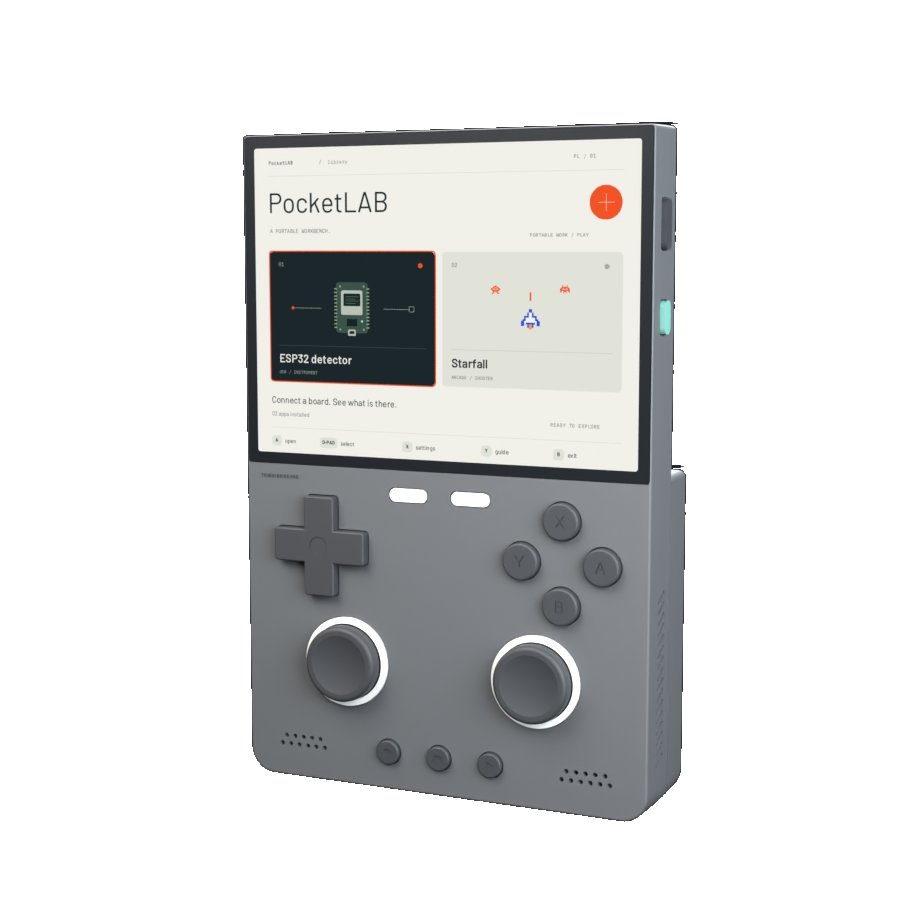
The library
OpenAI Supply Co.’s ModRetro Chromatic: Codex Edition release inspired PocketLAB. I wanted to make it possible to try new tools without changing how the Brick starts up. PocketLAB opens from the stock Apps menu and gives the games and tools you make a place alongside the two included apps.
Design decisions
PocketLAB installs as an app. On a working stock card, the installer writes to PocketLAB’s own folder, so the rest of the handheld stays familiar and existing games and saves stay in place.
The coding agent and compiler run on the computer. The SDK sends the finished app over USB so it can launch from the library and run on the Brick when the computer is unplugged.
The 4:3 display presents two large choices at a time. The row of button labels changes with the screen, so you can see the action and the physical control that goes with it.
Bundled example apps
PocketLAB comes with two examples. ESP32 detector inspects a connected USB board. Starfall is a space shooter you play with the Brick’s buttons and stick.
D-pad, A/B/X/Y, dual sticks with L3/R3 clicks, L1/L2/R1/R2, Menu, Select, Start, and Home. System controls include the Fn lock switch, Power, Volume +/−, and Reset.
1024 × 768 display, stereo speakers, 3.5 mm headphone jack, and microphone.
Wi‑Fi and Bluetooth. Rear USB‑C for peripherals, bottom USB‑C for app transfers.
Use SDL2 for the controls in the SDK’s controller map, plus graphics and sound. Test additional controls, including the right stick, on your Brick. USB data exchange requires a compatible driver and protocol.
Test Wi-Fi and Bluetooth on your device. The microphone, RGB lights, and vibration motor have no documented API in PocketLAB v1.1.0.
Mini app concept
“Build me a remote for my coding agent. Let me switch sessions, run tests, and hear when they finish.”
Switch between coding sessions.
Run tests for the selected project on your computer.
See the result and hear a chime when the tests finish.
A companion you build on your computer would relay commands and results over your local network. The agent and tests would run on the computer.
Public release
PocketLAB comes with the app library and two example apps, ESP32 detector and Starfall. The source download includes the SDK, setup tools, and two skills for coding agents.
Use the device setup skill to install, update, or recover PocketLAB, and the mini-app skill to create, build, and run your own apps on the Brick.